
If EValuate is used in an environment where there is no Active Directory present users must be created by following the steps below.
Note: If an Active Directory is present refer to the article Create a new EValuate user when using an Active Directory instead.
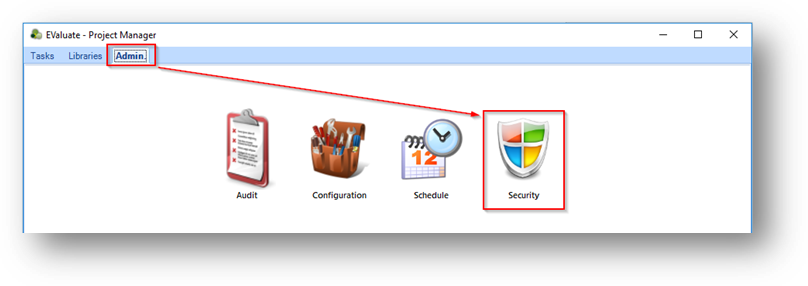
1. Select Admin > Security:
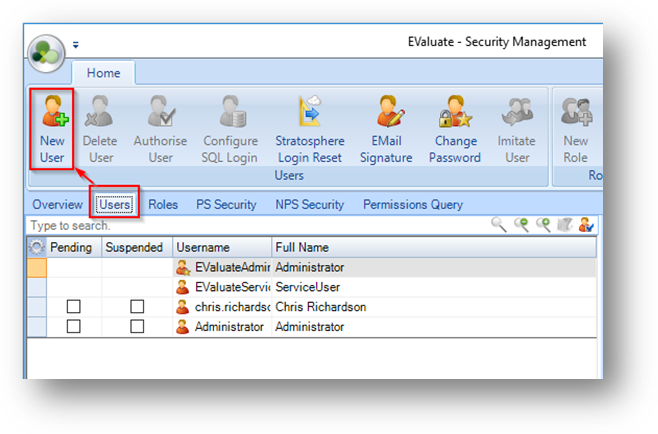
2. Select the Users tab > New User:
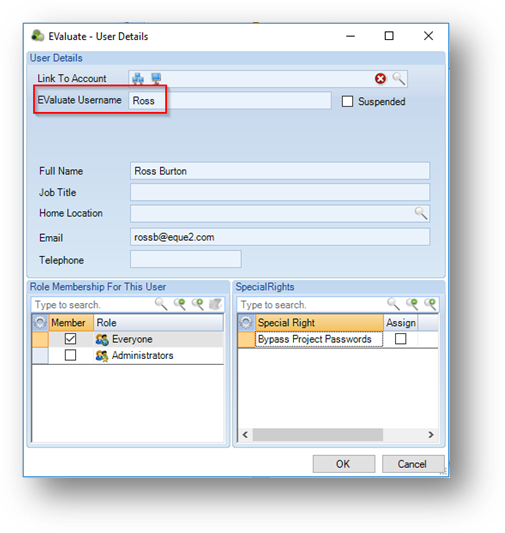
3. Enter a login name in the EValuate Username field. Additional information for the user can now be entered if required. This can also be entered at a later time:
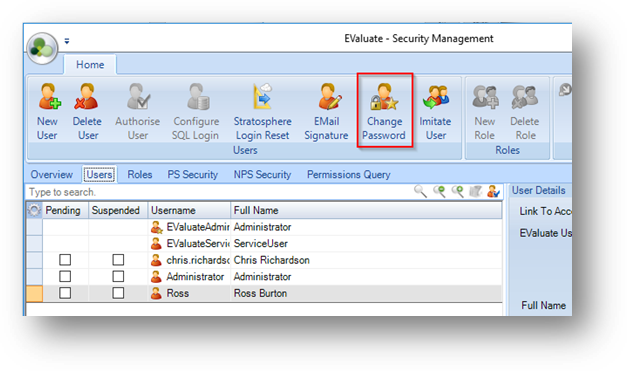
4. If required the user can be highlight and select Change Password to secure their login:
The user has now been successfully created.
Other options than may be set can be found under Admin > Security:
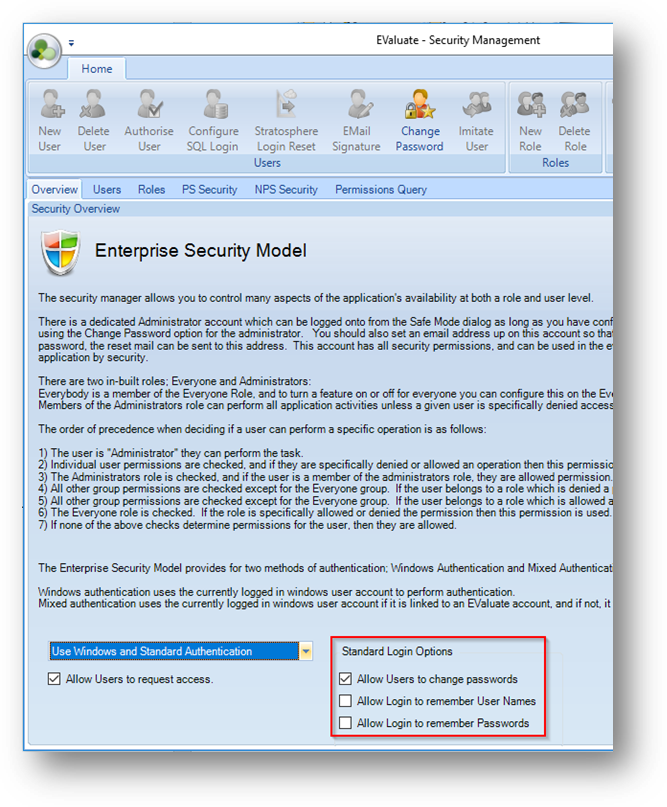
These can be used to allow the user to change their own password, or to remember login details for convenience when logging into EValuate.