
Version 3.8 and above of EValuate uses an updated version of the dxAPI drawing module which will require your licence server (if applicable) to be upgraded.
Note: If you are upgrading from EValuate 3.8 or later, you do not need to complete this step.
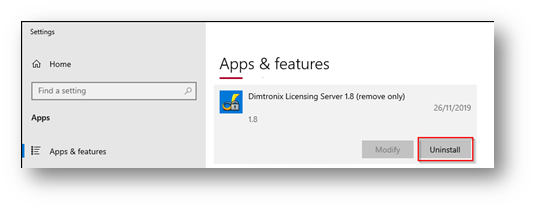
- On the server machine uninstall the current Exactal/Dimtronix licence server from Windows control panel. Depending on your version of Windows this screen may differ to the example below:
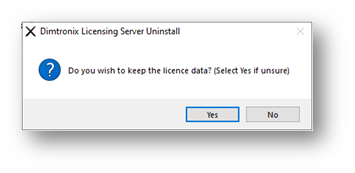
- During the install select Yes to keep the licence data when prompted:
- Download and install the following package onto your SQL Server. It is recommended all install options are left as the defaults:
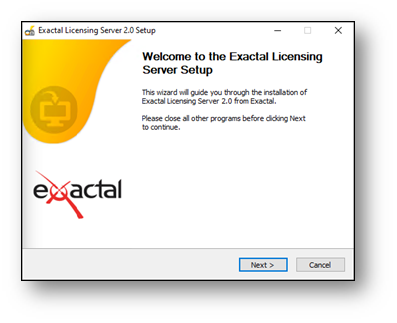 Note: If the download or installation is blocked by your security software please contact your Network/IT support team and refer them to the information provided in this document.
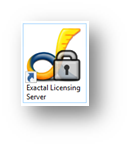
 - Once the installation is complete, open the Exactal Licensing Server using the desktop or start menu shortcut:
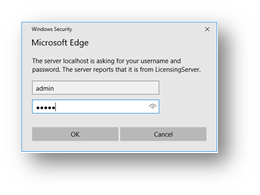
- Select Login. The default username and password are both admin:
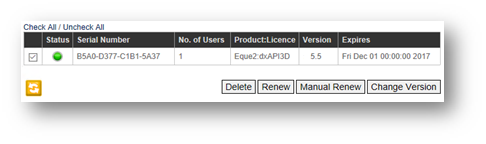
- Select any licences that are not v6, then click Change Version.
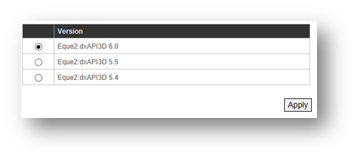
- Set the version of the license to v6 and click Apply.
The Exactal licence server is now updated.